


Cartoon Comic Strip Maker
3.2124.00 Reviews
App Specs
- Version
- 8.7
- Updated On
- License
- Free
- Downloads
- 1,000,000+
- Developer
- Csmartworld
- Categories
- Comics
- Platform
- Android, iOS
Screenshots
 Analysis by AppCompare
I’d approach Cartoon Comic Strip Maker as a playful storytelling tool rather than a place to keep private material. It is a free comics app from Csmartworld, rated for Everyone, and its appeal is straightforward: turn a quick idea into a cartoon-style scene without first learning a full drawing program. That simplicity can be useful, but it also makes me think about what I’m choosing to put into any creative app. I’d start with a harmless fictional gag or a made-up character, get comfortable with the workflow, and only then decide whether a personal story belongs there.
What I can judge, and what I would check myself
The app’s public profile gives me a few practical points of context: it has an average rating of 3.2 from around 9,700 ratings, and more than a million installs. Those figures suggest it has reached a broad audience, but they are not a substitute for checking how it behaves on your own device. I wouldn’t treat popularity as proof of privacy, reliability, or artistic quality. Before creating anything sensitive, I’d look at the permission prompts shown during use and consider whether each requested access makes sense for the task I’m doing.
I also keep the distinction between creative convenience and user control in mind. A comic can involve personal photos, names, jokes about people you know, or details from a private conversation. Even when a project seems lighthearted, those ingredients can make it identifiable. My practical rule is to build with fictional names and generic details if I expect to share the finished strip, and to avoid putting anything into the project that I would not want circulated beyond its intended audience.
A low-risk way to try it
For a first session, I’d make a three-beat joke using invented characters: set up a small problem, add a reaction, then end with a visual punchline. That tests the basic creative process without requiring personal material or a complicated story. I’d also save a draft before spending time polishing it, and check what choices appear when saving or sharing. Those small steps make it easier to learn the app while keeping the content deliberately low-stakes.
Cartoon Comic Strip Maker is free to install, with in-app purchases listed at $6.99 per item. I’d treat any paid choice as something to review at the moment it appears rather than assuming every tool is included at no cost. If a feature is presented as an optional purchase, it is worth asking whether it solves a real need in your workflow or whether the free tools are enough for a casual strip. That is especially relevant for parents introducing a comics app to a child: the Everyone rating describes the age category, while purchase decisions still deserve an adult’s attention.
Making a comic without overthinking it
Ever wanted to channel your inner comic book artist and create your own comic strip? Well, now you can with the Cartoon Comic Strip Maker. This app is a fantastic playground for anyone who loves comics, doodles, or just wants to have a bit of fun with storytelling. After spending some quality time with it, I'm here to spill all the beans on what makes this app a must-try.
First Impressions and Setup
The first thing you'll notice with the Cartoon Comic Strip Maker is how intuitive it feels. Setting it up was a breeze. I had it downloaded and running in minutes, and no, you don't need to be a tech wizard to get started. The interface is user-friendly, with everything laid out in just the right places. I felt like I was diving straight into my creative zone without any hiccups.
Worth Reading Before You Choose

Flipboard Shows What News Apps Must Do Beyond the Feed

Switching to Android Auto Means Rethinking Your Driving Routine

Google Calendar Makes a Crowded Week Easier to Manage

Ludo King Makes the Most of the Minutes Between Plans

Baby Panda World Brings Quick Play to Modern Phones, but Its Game Library Feels Busy

ESPN’s Live Game View Makes Following Close Games Easier
Features That Stand Out
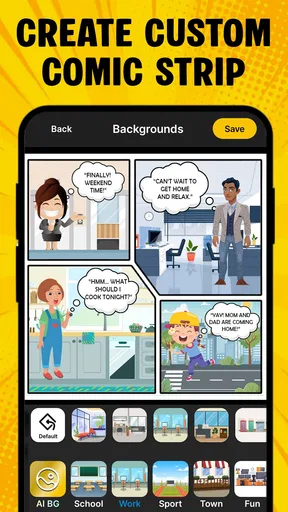
One of the highlights for me was the sheer variety of templates available. Whether you're into superheroes, slice-of-life, or fantasy themes, there’s something for everyone. I found myself flipping through templates, each more exciting than the last. Customization is key here, and the app doesn’t disappoint. You can tweak everything from the layout to the tiniest color details, making sure your strip is exactly how you envision it.
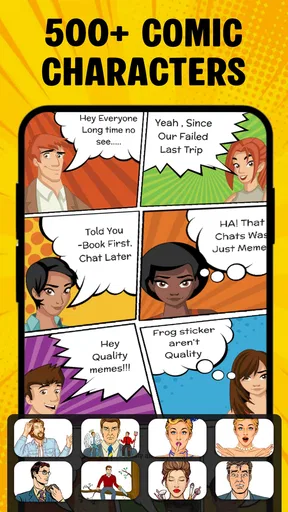
Another cool feature is the character creation tool. I loved being able to design unique characters with different outfits, expressions, and poses. It’s like having a mini animation studio right in your pocket. Plus, the drag-and-drop interface makes it super easy to position your characters and set the perfect scene.
Unleashing Your Creativity
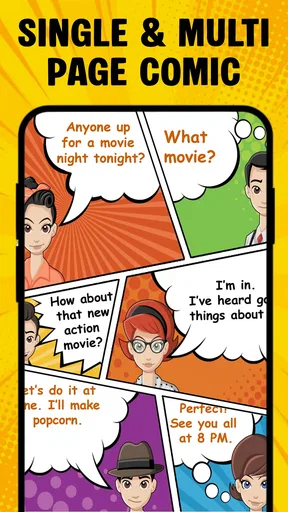
Once you're all set up, it's time to dive into storytelling. The app allows you to add text bubbles with a wide array of fonts and styles, which really helps bring your dialogue to life. I found myself experimenting with different plot twists and punchlines, and the more I played around, the more addictive it became.
One thing I appreciated was the app's ability to let you save and export your creations in different formats. Whether you want to share it on social media or print it out as a keepsake, the options are all there. And trust me, after you've invested time in crafting your masterpiece, you'll definitely want to show it off.
Challenges and Learning Curve
Of course, no app is without its challenges. Initially, I found the sheer number of options a bit overwhelming. But, once I got the hang of it, I realized how these options actually enhance the creative process. For beginners, it might take a little patience to explore all the features, but the app does a great job at guiding you along the way.
There were also moments when I wished for more advanced editing tools, especially when it came to fine-tuning drawings. However, considering this is a mobile app, it does a commendable job at offering a robust set of tools.
Where it fits among comic-making tools
I see this as a middle ground between sketching by hand and building a comic in a full desktop art suite. A blank canvas in a drawing app gives an artist far more control over linework and panel composition, but it also asks for more drawing skill and time. A template-based maker like this is better when the goal is a quick, readable scene: choose a starting arrangement, shape characters and dialogue, then concentrate on the joke or story rather than rendering every detail yourself.
That trade-off matters if you want a consistent visual style. Templates and reusable character choices can help a casual series feel like it belongs together, while the same structure may feel restrictive if you want unusual panel shapes or precise control of every stroke. I’d use it for school storytelling, a birthday gag, or a small family comic, then switch to a drawing-focused tool if the project depends on bespoke illustrations or print-ready production control.
A workflow that saves time
One useful approach is to write the dialogue before opening the editor. Keep each panel to one action and one short line, then choose a layout that gives the visual punchline enough room. On a phone screen, long speech bubbles can crowd the art, so I’d trim wording before trying to solve the problem with smaller text. That is a practical way to make the finished strip easier to read when shared or viewed on a smaller display.
I’d also make a rough version first and postpone color adjustments until the panel order works. It is easy to spend time tuning details that do not help the story. Once the joke reads clearly, then I’d revisit character expressions, placement, and color. If I were making a set of related strips, I’d reuse a small cast and a limited palette where possible; that creates continuity without needing advanced illustration skills.
Everyday uses—and when I’d choose something else
Imagine waiting for a friend at a café and noticing a small, familiar bit of everyday comedy: someone tries to balance a takeaway cup, phone, and keys, then the keys slip at exactly the wrong moment. I could turn that into a quick sequence with a setup, a reaction, and a final panel, using fictional characters rather than drawing or photographing the people nearby. That kind of short observation is where the app’s accessible format makes sense: it gives a passing idea a shape before it disappears.
It is also a good fit for someone who wants to make a visual message for a group chat, help a child put a story in order, or create a light classroom activity. I would skip it if I needed precise lettering, detailed brush control, complex page layouts, or a dependable professional production pipeline. The app is more inviting than a blank canvas for quick cartoon storytelling, but that convenience does not replace the flexibility of a dedicated illustration program.
For children, I’d keep the activity collaborative and review any sharing or purchase prompts together. The Everyone age rating makes the app suitable for a broad audience category, but it does not mean every comic is appropriate for every context; the creator still chooses the subject and audience. For a personal project, I’d avoid identifiable details and keep a separate copy of anything important outside the app if I need to preserve it.
Version and practical expectations
The current version is 8.7, and it runs on Android 7.0 or later. That makes the operating-system requirement worth checking before installing, particularly if you are setting it up on an older spare phone for a child or a classroom activity. The app was released on January 17, 2019, so I’d judge it by how it works on the device in front of me rather than assuming every interface detail will feel like a newly designed editor.
With 124 written reviews alongside its broader rating base, there is enough public feedback to remind me that people’s experiences can differ. I’d use the app for a short test project before committing to a long comic: make a couple of panels, save them, and see whether the editing and export steps suit the way you want to work. That small trial answers the practical questions that matter most—whether the controls feel comfortable, whether the result looks right on your screen, and whether the workflow is worth continuing.
Final Thoughts
In conclusion, the Cartoon Comic Strip Maker is a delightful app that offers a creative outlet for anyone with a passion for comics. Whether you’re a novice or a seasoned artist, it provides a platform to express your creativity and bring your stories to life. The app might have a few quirks here and there, but its strengths far outweigh any minor setbacks.
If you're looking to dive into the world of comic creation, this app is definitely worth checking out. So why not give it a go? You might just discover a hidden talent you never knew you had!
Pros
- User-friendly interface for beginners.
- Wide range of templates available.
- Supports high-resolution exports.
- Seamless sharing to social media.
- Frequent updates with new features.
Cons
- Limited free version features.
- Occasional app crashes reported.
- In-app purchases can be costly.
- Lacks advanced editing tools.
- No offline mode available.
FAQs for Cartoon Comic Strip Maker
What features does the Cartoon Comic Strip Maker offer?
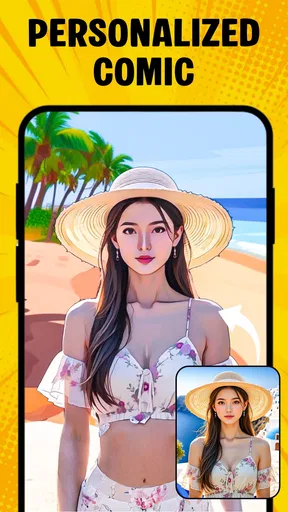
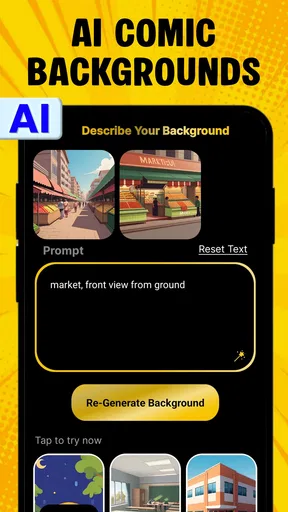
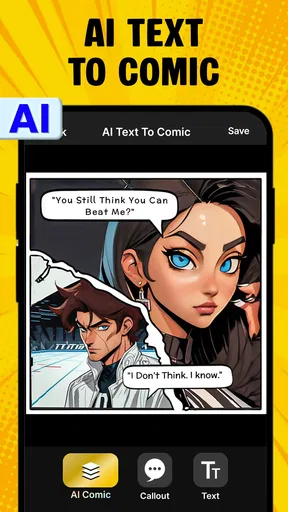
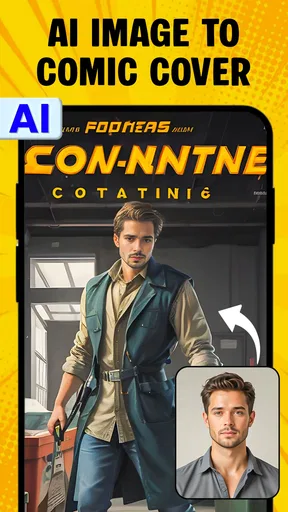
The Cartoon Comic Strip Maker offers a variety of features including customizable templates, a wide selection of characters and backgrounds, speech bubbles, and text options. Users can also import their own images and edit them within the app. The intuitive drag-and-drop interface makes it easy for beginners to create professional-looking comic strips.
Is the Cartoon Comic Strip Maker suitable for beginners?
Yes, the Cartoon Comic Strip Maker is designed with beginners in mind. Its user-friendly interface and step-by-step tutorials guide users through the process of creating their first comic strip. The app also provides pre-made templates and assets that simplify the creative process, allowing users to focus on storytelling.
Can I share my comic strips directly from the app?
Absolutely! The Cartoon Comic Strip Maker includes built-in sharing options that allow users to easily export and share their creations on social media platforms like Facebook, Instagram, and Twitter. You can also save your comic strips in various formats and send them via email or messaging apps.
Is the app available on both Android and iOS?
Yes, the Cartoon Comic Strip Maker is available for download on both Android and iOS devices. It is optimized for smartphones and tablets, ensuring a seamless experience across different screen sizes. Check the respective app stores for compatibility with your device.
Are there any in-app purchases or subscriptions?
The Cartoon Comic Strip Maker is free to download, but it does offer in-app purchases and subscription options. These can include additional character packs, background themes, and advanced editing tools. While the free version is fully functional, these extras enhance the creative possibilities for users looking to expand their toolkit.


